Gold Finder and metal detector
Publisher Description


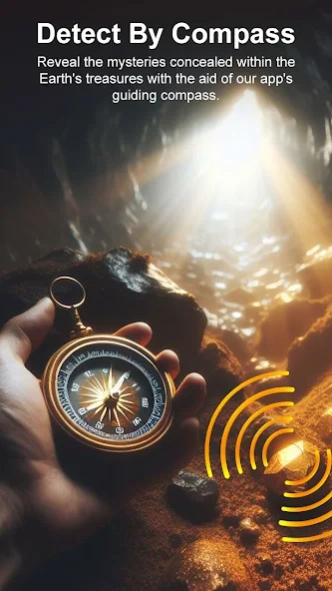

Discover treasures with precision using our Metal Detector app
The app uses your phone's built-in magnetometer to detect the magnetic field of metal. As you move your phone, the app detects changes in the magnetic field. Gold Finder and Metal Detector, your ultimate companion for treasure hunting, use cutting-edge technology to find hidden treasures, artifacts, and precious metals. The app displays the magnetic field level (EMF) in µT (microtesla), equivalent to ten times mG (milligauss).
It's a gold metal detector for Android, detecting iron, steel, platinum, relics, silver, gold, and other magnetic items.
Key Features:
Advanced Metal Detection: Find gold, silver, copper, and more with precision.
User-Friendly Interface: Easy for beginners to launch, set preferences, and start hunting.
Real-Time Feedback: Instant indicators help locate buried treasures.
Customizable Settings: Adjust detection settings for specific metals or sensitivity levels.
Augmented Reality (AR) Mode: Enhance your adventure with AR overlays on your camera view.
Location Tracking: Record and revisit discovery locations with the app's feature.
Educational Resources: Access tips and resources for an informed treasure-hunting experience.
Community Sharing: Connect with enthusiasts, share discoveries, and exchange tips.
Embark on a thrilling discovery journey with Gold Finder and Metal Detector. Download now and uncover hidden treasures!
About Gold Finder and metal detector
The company that develops Gold Finder and metal detector is MintyGO. The latest version released by its developer is 1.0 .
To install Gold Finder and metal detector on your Android device, just click the green Continue To App button above to start the installation process. The app is listed on our website since 2025-10-15 and was downloaded 3 times. We have already checked if the download link is safe, however for your own protection we recommend that you scan the downloaded app with your antivirus. Your antivirus may detect the Gold Finder and metal detector as malware as malware if the download link to com.nightmode.goldfinderandmetaldetector is broken.
How to install Gold Finder and metal detector on your Android device:
- Click on the Continue To App button on our website. This will redirect you to Google Play.
- Once the Gold Finder and metal detector is shown in the Google Play listing of your Android device, you can start its download and installation. Tap on the Install button located below the search bar and to the right of the app icon.
- A pop-up window with the permissions required by Gold Finder and metal detector will be shown. Click on Accept to continue the process.
- Gold Finder and metal detector will be downloaded onto your device, displaying a progress. Once the download completes, the installation will start and you'll get a notification after the installation is finished.
